How to Transfer Money from Savings to Checking
Personal Finance
11 August 2025
DNBC Team
This article is a part of DNBCGroup Blog Center
Contact DNBCGroup for the technology news, tips, trends, and updates.
Let’s face it—money doesn’t grow on trees, but at least it can move from your savings to checking account with a few taps (or clicks, or polite requests to your bank). Whether you’re covering rent, paying for coffee that somehow costs $8 now, or just making your finances easier to manage, knowing how to transfer money from savings to checking is one of those “adulting” skills you’ll thank yourself for mastering.
Spoiler alert: it’s not rocket science. But if it feels like it sometimes, don’t worry—we’ve got your back.
And hey, if you’re still shopping for the right place to keep your money, DNBC makes account management a breeze with international flexibility and user-friendly tools. Just sayin’.
The Basics: What’s the Deal With Savings vs. Checking?
Before we talk about how to transfer money from savings to checking, let’s clarify what these accounts even are. Think of a savings account as a financial pantry—you put stuff in and only take it out when needed. Your checking account, on the other hand, is more like your wallet—money goes in and out all the time for everyday expenses.
When you transfer money from savings to checking, you’re basically saying, “Dear money, I’m ready to spend you responsibly.”

1. Transfer Like a Pro With Online or Mobile Banking
How to Transfer Money from Savings to Checking With a Few Taps
The easiest and most common way to move your money? Online or mobile banking.
Here’s how it goes down:
- Log into your bank’s mobile app or online portal
- Tap “Transfer” or “Move Money” (bonus points if the button sparkles)
- Select your savings account as the “from” and checking account as the “to”
- Enter the amount you need (don’t forget to leave some behind!)
- Review, confirm, done!
In most cases, the money shows up instantly—like a magic trick, but better because it’s real.

2. Old School? Try an In-Person Transfer
We get it—sometimes you want to speak to a human, not just an app. Visiting a bank branch can be a great option if you prefer face-to-face transactions or need to move a large sum.
Walk in, say something like, “Hi, I’d like to transfer money from savings to checking,” and watch the teller work their magic. You’ll just need:
- A valid ID
- Your account numbers (if you don’t have them memorized, you’re not alone)
- Maybe a little patience if there’s a line
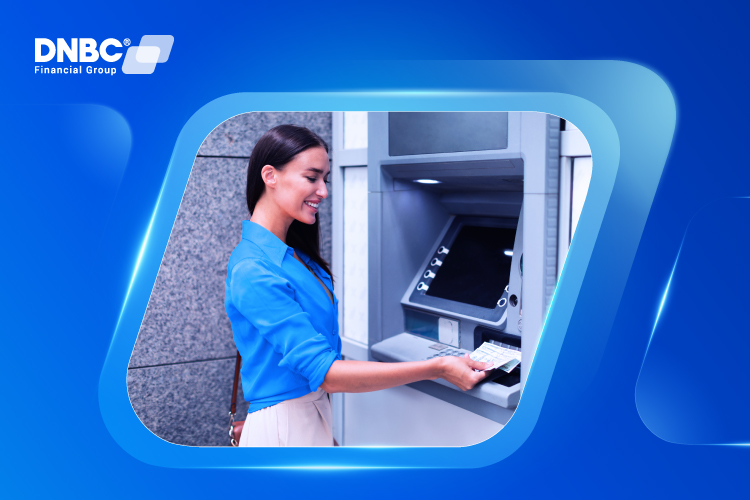
3. Use an ATM (Yes, That Still Exists)
Believe it or not, ATMs are still useful—especially when you’re trying to move money late at night after a taco run.
Here’s what to do:
- Insert your debit card and enter your PIN
- Choose “Transfer” from the main menu
- Select savings to checking
- Enter the amount and confirm
Boom! Your taco funds are now available.
4. Phone Banking: The Forgotten Hero
We’ve come full circle. Phone banking still works, especially if your internet goes down or your app crashes mid-transfer (been there).
Call your bank, go through security verification (yes, they might ask for your favorite color in kindergarten), and request to transfer money from savings to checking.
5. Things You Should Know Before Transferring
Moving money is easy. Doing it wisely? That’s the secret sauce. Keep these in mind:
- Transfer limits: Some banks cap how many times you can move money out of savings per month. Don’t get caught off guard.
- Fees: Most internal transfers are free—but always double-check.
- Timing: Transfers are usually instant, but if you’re moving between banks, it may take 1–3 business days.
6. Need to Transfer Between Banks? It’s Possible Too
If you want to transfer money from savings to checking across different banks, you’ll first need to link the accounts:
- Log in to your online banking
- Enter routing and account numbers for the other bank
- Wait a few days for micro-deposit verification
- Once confirmed, you’re all set to transfer
7. Safety First: Protect Your Transfer
Because we love your money almost as much as you do:
- Use strong passwords and change them often
- Don’t make transfers on public Wi-Fi (unless you enjoy risk)
- Enable two-factor authentication
- Keep an eye on your transactions regularly
Conclusion: Important Note Before You Transfer
This guide is provided purely for informational purposes to help you understand the general steps of transferring funds from a savings account to a checking account with your bank. DNBC does not currently offer the functionality to transfer money between savings and checking accounts.
If you are planning to make domestic or international money transfers, we recommend contacting DNBC directly for personalized advice and guidance on secure, compliant, and efficient transaction options. DNBC can help you choose the right transfer method for your needs while ensuring full compliance with applicable regulations.
Your Trusted Partner
In your Digital
Journey
Free 1 - on -1 support
Free account opening fees
No hidden fees

Note: The content in this article is for general informative purposes only. You should conduct your own research or ask for specialist advice before making any financial decisions. All information in this article is current as of the date of publication, and DNBC Financial Group reserves the right to modify, add, or remove any information. We don’t provide any express or implied representations, warranties, or guarantees regarding the accuracy, completeness, or currency of the content within this publication.
Related posts

Important Update: Notice regarding mandatory annual account reviews and compliance fees.
28 February 2026
Difference Between Transit Code and SWIFT Code: Explained Simply
01 October 2025
Swift Code vs Routing Number: What You Really Need to Know
01 October 2025
How to Use a Transit Code for Smooth Transfers
01 October 2025

What Happens If Someone Has Your BSB and Account Number?
01 October 2025