How to Make a SEPA Payment
Personal Finance
11 August 2025
DNBC Team
This article is a part of DNBCGroup Blog Center
Contact DNBCGroup for the technology news, tips, trends, and updates.
So, you've heard of SEPA but feel like it's some top-secret finance club? Don’t worry — you're not alone. In this guide, we’re breaking down how to make a SEPA payment in a way that won’t require a finance degree or a strong coffee. Let’s make euro transfers smoother than your last video call (you know, the one that froze right when your boss asked a question).
What on Earth Is a SEPA Payment, Anyway?
SEPA stands for Single Euro Payments Area covers 36 European countries, including all EU members and several non-EU countries like Switzerland, Norway, and Iceland. — a project by the EU to make transferring euros across member countries as easy as sending money next door. Whether you're in France sending rent to Spain or a business in Germany paying an invoice in Italy, SEPA keeps it simple and standardized.
It works with EUR only (sorry, dollars and dirhams, you're not invited), and supports three main types:
- SEPA Credit Transfer (SCT): One-time payments
- SEPA Instant Credit Transfer: Sent in seconds (faster than your coffee machine)
- SEPA Direct Debit: Great for subscriptions or regular payments
Now, if only splitting dinner bills with friends was this straightforward...
Why SEPA Payments Are the MVP of European Transfers
Before we jump into how to make a SEPA payment, let’s talk perks:
- Speed: Most transfers land in one business day, sometimes even instantly.
- Low Fees: SEPA loves transparency. DNBC, for instance, keeps things super clear (no mystery charges here!).
- Security: Regulated by EU law — your money’s in safe hands.
- Convenience: Just an IBAN and a few taps, and you're done.
Bonus: When you open a DNBC account, everything’s already set up for seamless SEPA transfers. That’s right — no paper forms or faxes from 2002.
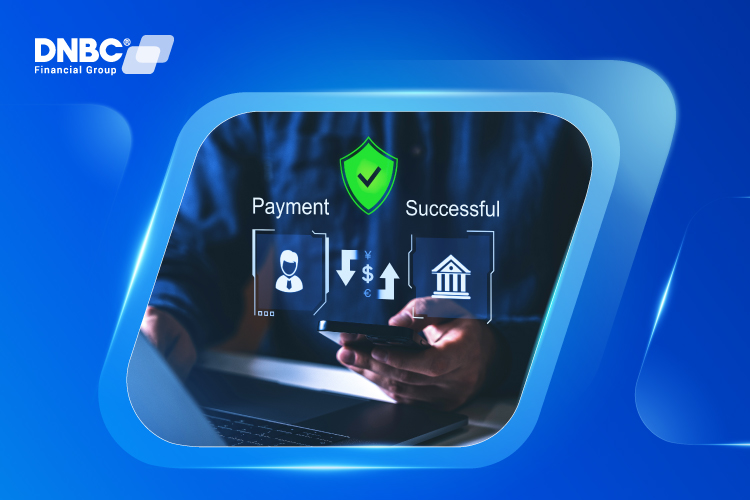
How to Make a SEPA Payment (Step-by-Step Guide)
Let’s walk through how to make a SEPA payment like a pro:
Step 1: Log In to Your Account
Whether you’re using DNBCnet (our friendly interface) or another platform, log in and locate the euro transfer or SEPA transfer section. If you don’t have an account yet, why not start with DNBC? It’s smoother than scrolling through memes on a lunch break.
Step 2: Enter the Recipient’s Details
Grab the IBAN (International Bank Account Number) of the person or business you’re sending money to. Don’t guess it — that’s not a game of bingo you want to lose.
Also, you’ll need:
- Recipient’s full name
- BIC/SWIFT code (usually optional)
- Payment reference (to let them know what it’s for)

Step 3: Add the Amount and Confirm
Input how much you want to send (remember: EUR only). Double-check the details. Once you hit send, it’s off — like a carrier pigeon on a mission, only faster.
How Long Does a SEPA Payment Take?
Here’s the magic:
- Standard SEPA: 1 business day max
- SEPA Instant: Boom — there in 10 seconds (as long as both banks support it)
Just remember that weekends and bank holidays still apply. Even money needs a day off.
Common SEPA Slip-Ups (And How to Dodge Them)
Even the best of us hit a few bumps. Watch out for:
- Wrong IBAN: One digit off and your euros could take a detour
- Non-EUR Transfers: SEPA doesn’t do currency conversions
- Blocked Accounts: Transfers to sanctioned countries? Nope. (With DNBC, these are automatically screened)
Good news: DNBC’s platform helps avoid most of these. It’s like having a financial GPS that says, “Turn around, you’ve entered the wrong account.”

SEPA vs SWIFT: What's the Real Difference?
Here’s a quick showdown:
Feature | SEPA | SWIFT |
Currency | EUR only | All major currencies |
Area | Europe | Global |
Speed | 1 day or instant | 1-5 days |
Cost | Usually low | Often higher |
If your transfer’s headed somewhere within Europe and in EUR, SEPA’s the clear winner. If not, well...SWIFT steps in.
Still unsure which one to pick? DNBC’s customer support has your back — real humans, not bots that say “I didn’t get that” 12 times.
How to Track Your SEPA Payment (Without Playing Detective)
Worried your money got lost on its European vacation? No need. At DNBC, every SEPA transfer comes with a tracking ID so you can see where it is in the process. Just log into DNBCnet and follow the breadcrumbs.
If things ever go sideways (rare, but hey, tech is tech), our support team is just a call or chat away.
SEPA Payment Fees — The Good News
Here’s a pleasant surprise: most SEPA payments are free or come with very low fees. Especially at DNBC — we pride ourselves on transparent pricing. You won’t find “processing fees” sneaking up on you like bad Wi-Fi.
Why You Should Open a DNBC Account (You’ll Thank Yourself Later)
Let’s not beat around the bush — if you’re regularly sending or receiving euros, a DNBC account makes your life easier. Why?
- It’s designed for global thinkers and borderless payments.
- You can manage multi-currency transactions easily (not just EUR).
- The interface is clean, secure, and actually makes sense.
Plus, our 1-on-1 support means you’ll always speak with someone who knows what they’re doing (and probably likes coffee as much as you do).

When Should You Use a SEPA Payment?
Glad you asked. Use SEPA if:
- You’re paying a supplier in the EU
- Sending money to family or friends in Europe
- Receiving salary or rental income in EUR
- Settling invoices as a business
And again, if you're doing any of this regularly, just open a DNBC account already — it’s built for exactly this kind of thing.
FAQs About SEPA Transfers (That You Were Too Afraid to Ask)
Q: Can I send a SEPA payment from outside the EU?
A: If your account is in EUR and supports SEPA (like DNBC accounts do), absolutely. Yes, as long as your EUR-denominated account is held with a SEPA-participating institution — which includes DNBC and other approved providers, regardless of your geographic location.
Q: What happens if I mess up the IBAN?
A: The payment will likely be rejected and returned. Just triple-check or copy-paste like your life depends on it.
Q: Is a SEPA payment reversible?
A: Not usually — once it’s sent, it’s gone. Think of it like sending a text to your boss that you really meant to send to your group chat. Be careful!. Standard SEPA Credit Transfers are usually irreversible once processed. However, in case of an error, you can contact your bank immediately — some banks may attempt to recall the funds. For SEPA Direct Debits, refund requests are allowed within 8 weeks
Conclusion: SEPA Made Simple (With a Smile)
There you have it — the not-so-scary world of how to make a SEPA payment. It’s fast, easy, secure, and perfect for cross-border EUR transfers. And with DNBC, you’re not just getting a transfer service — you’re getting a smarter way to manage your money globally.
So why not make your next SEPA payment the easy way?
Open your DNBC account today and leave complexity in the past where it belongs (alongside floppy disks and dial-up internet).
Your Trusted Partner
In your Digital
Journey
Free 1 - on -1 support
Free account opening fees
No hidden fees

Note: The content in this article is for general informative purposes only. You should conduct your own research or ask for specialist advice before making any financial decisions. All information in this article is current as of the date of publication, and DNBC Financial Group reserves the right to modify, add, or remove any information. We don’t provide any express or implied representations, warranties, or guarantees regarding the accuracy, completeness, or currency of the content within this publication.
Related posts

Important Update: Notice regarding mandatory annual account reviews and compliance fees.
28 February 2026
Difference Between Transit Code and SWIFT Code: Explained Simply
01 October 2025
Swift Code vs Routing Number: What You Really Need to Know
01 October 2025
How to Use a Transit Code for Smooth Transfers
01 October 2025

What Happens If Someone Has Your BSB and Account Number?
01 October 2025